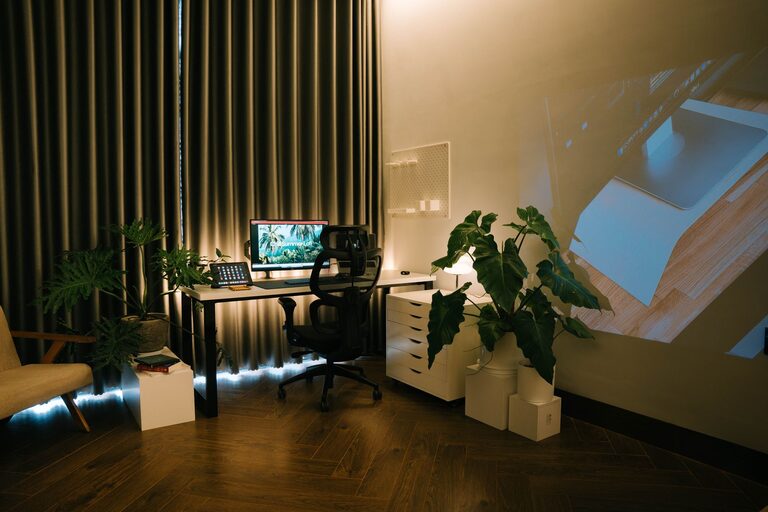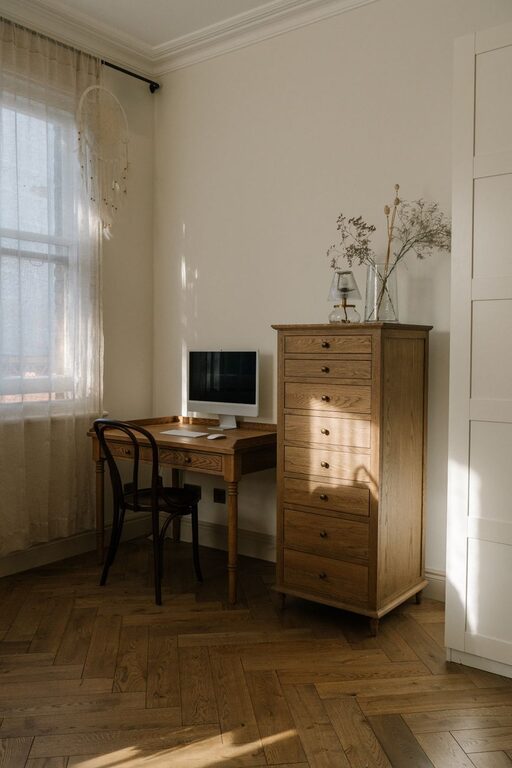







Creating a home office that balances comfort and functionality can transform your work-from-home experience. Whether you have a small corner or a dedicated room, thoughtful design and organization can help you stay focused, reduce stress, and enjoy your workspace. Here are some useful tips to guide you in setting up a cozy and efficient home office.
1. Choose the Right Location
Consider Natural Light
Whenever possible, set up your office near a window. Natural light can improve mood and reduce eye strain. Position your desk so the light comes from the side rather than directly in front or behind your computer screen to avoid glare.
Minimize Distractions
Pick a spot away from high-traffic areas in your home to help you concentrate. If space is limited, consider using room dividers or screens to create a visual boundary between your office and the rest of your living space.
2. Invest in Comfortable and Ergonomic Furniture
Quality Desk and Chair
Choose a desk with enough surface area for your computer, notebooks, and other essentials. An adjustable chair with good lumbar support is crucial for maintaining good posture and preventing discomfort during long work sessions.
Flexible Seating Options
If space allows, add a small sofa or a cushioned chair. This can offer a relaxing spot for reading or brainstorming away from your desk.
3. Organize Thoughtfully
Declutter with Storage Solutions
Keep your workspace tidy using shelves, filing cabinets, or storage boxes. Labeling containers can help quickly locate important documents or supplies.
Use Cable Management Tools
Tidy cables with clips, sleeves, or under-desk trays. A clutter-free desk helps maintain focus and creates a visually appealing environment.
4. Incorporate Personal Touches
Add Plants
Indoor plants not only brighten the space but can also improve air quality. Low-maintenance varieties like snake plants or succulents are great for busy professionals.
Display Inspiring Art or Photos
Decorate your walls with artwork or pictures that motivate you. Personalizing your space can increase your connection to the environment, making work feel more enjoyable.
5. Pay Attention to Lighting
Use Layered Lighting
Combine overhead lights with task lighting, such as a desk lamp, to provide adequate illumination for various activities. Adjustable lamps let you customize your light for reading or screen work.
Choose Warm Light Bulbs
Warm, soft lighting creates a cozy atmosphere and reduces harsh shadows compared to bright, cold lights.
6. Optimize Technology Setup
Reliable Internet Connection
Ensure your workspace has strong Wi-Fi or consider a wired connection to avoid interruptions when working online.
Ergonomic Accessories
Use external keyboards, mouse devices, and monitor stands to align screens at eye level and reduce strain on your wrists and neck.
7. Maintain a Balanced Environment
Control Temperature and Ventilation
A comfortable temperature supports focus. Use fans, heaters, or open windows to regulate airflow.
Manage Noise Levels
If noise is an issue, try noise-canceling headphones, white noise machines, or soundproofing curtains to create a quiet workspace.
8. Designate Zones for Different Tasks
Work Zone
Allocate your primary workstation for computer-related and focused work.
Break or Meeting Zone
If space permits, create a separate area for breaks, reading, or virtual meetings. Changing your location occasionally helps refresh your mind.
9. Set Daily Rituals and Boundaries
Create routines to start and end your workday. This might include a morning stretch, a coffee before beginning, or shutting down your computer at a set time to maintain work-life balance.
Conclusion
Designing a cozy yet functional home office is about merging comfort with practicality. By selecting the right location, investing in ergonomic furniture, organizing efficiently, and personalizing your space, you can create an environment that supports both productivity and well-being. Try these tips and adjust them to fit your unique needs and home layout for the best results.